Appearance
GUI manual check
The manual check of the plan (docs/plans/fsm-v1.md, Verification; checklist S-22) run in a real browser with each of the three stores. It records the tree, the steps and the outcome of each store.
Tree and environment
- Tree: commit
bc9f1b1672af370d901b4479bacf64d480833b72ofmain(the GUI code of S-22-1, S-22-2, S-22-3, S-33 and S-38). - Commands:
fsm-gen,fsm-dbandfsm-guiinstalled from the checkout withnpm install -g --prefix <tmp> --offline(S-18-1), the assets built withmake gui-build. - Browser: the Chromium of the pinned Playwright 1.64.0 (
make gui-browsers), headless, 1200 × 900; Mermaid 12.1.0. - Driver:
packages/gui/scripts/manual-check.mjs, which walks the steps below, records a video and exits 1 when a step fails.
Steps
Each store gets a project with the order machine and its lock entry; the json and mermaid projects are committed to a git repository, because the committed lock is the baseline of lock and save (spec B-3):
sh
mkdir -p json/machines && cp machines/order.fsm.json json/machines/
echo '{"store":"json"}' > json/fsm.config.json
(cd json && fsm-gen lock && fsm-gen copy --to mermaid --root ../mermaid)
echo '{"store":"mermaid"}' > mermaid/fsm.config.json
(cd json && git init -q && git add -A && git commit -qm base)
(cd mermaid && git init -q && git add -A && git commit -qm base)
mkdir db && echo '{"store":"db","dsnEnv":"FSM_DSN"}' > db/fsm.config.json
export FSM_DSN="sqlite://$PWD/db/fsm.sqlite"
(cd db && fsm-db install && fsm-db copy --from json --root ../json)
For each store, the server runs and the driver walks it; then the store's own check runs:
sh
fsm-gui --project json --port 8204 &
(cd packages/gui && node scripts/manual-check.mjs http://127.0.0.1:8204 out-json json)
(cd json && fsm-gen check)
The walk:
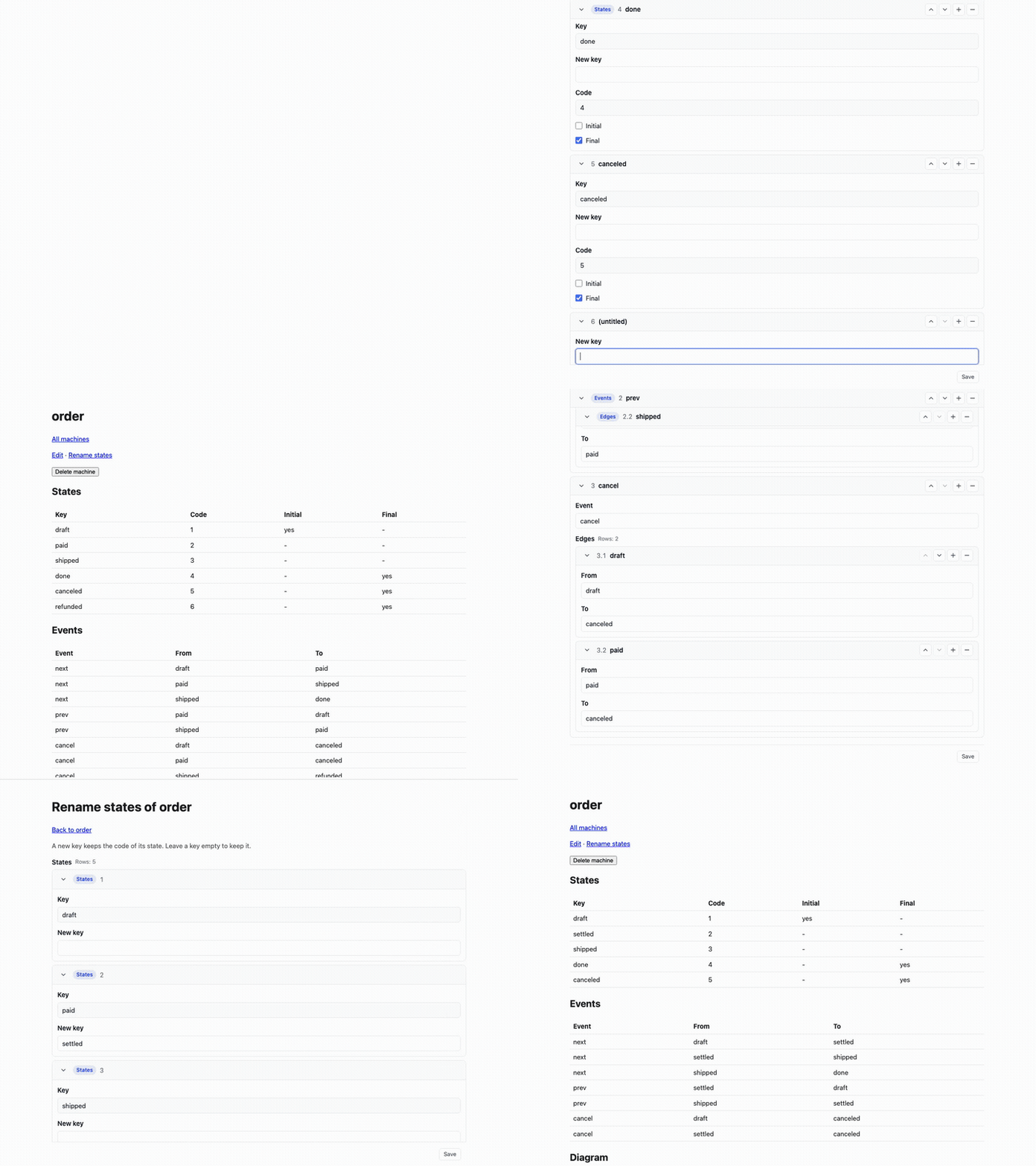
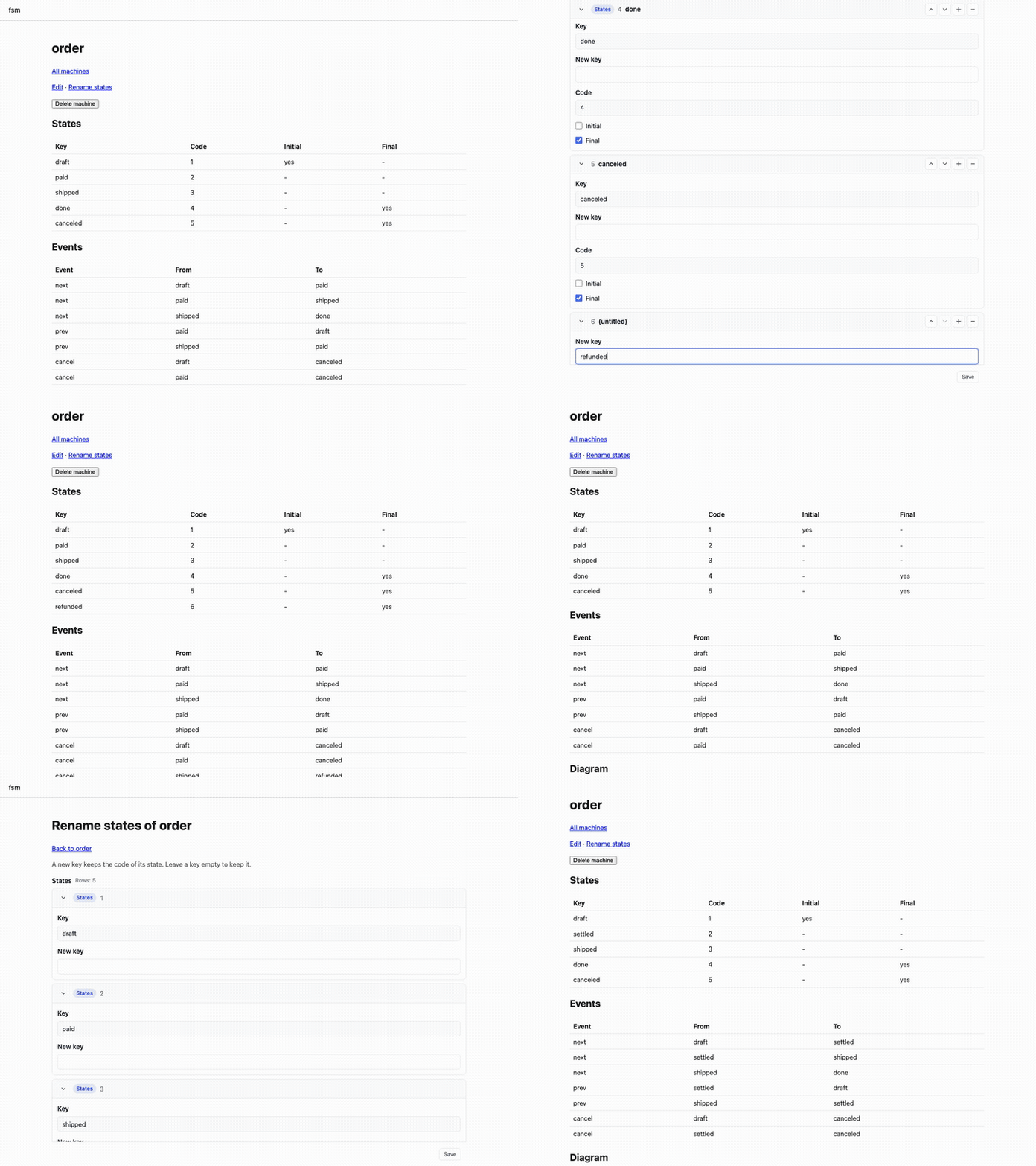
- The detail page draws the diagram, and every state key is a label of the drawn svg.
- On the edit screen, add on the last state row adds a row, and its code field holds the suggested code 6.
- The new row gets the key
refundedandfinal, the eventcancelgets the edge shipped → refunded, and Save stores them: the table listsrefunded | 6, and the diagram names it. - Remove on that row and on its edge, then Save: the table no longer lists
refunded. - A row added after that suggests 7, not the reserved 6.
- The rename screen gives
paidthe keysettled; the table listssettled | 2, and the diagram names it. - No page error and no console error during the walk.
Outcome
| Store | Diagram names the states | Suggested code | Save and table | Remove | Next code | Rename | check |
|---|---|---|---|---|---|---|---|
| json | yes | 6 | refunded | 6 | removed | 7 | settled | 2 | [fsm-gen] check: ok |
| mermaid | yes | 6 | refunded | 6 | removed | 7 | settled | 2 | [fsm-gen] check: ok |
| db (SQLite) | yes | 6 | refunded | 6 | removed | 7 | settled | 2 | [fsm-db] check: ok |
The lock after the walk is the same on the three stores: codes 1 draft, 2 settled, 3 shipped, 4 done, 5 canceled, and 6 reserved. The driver reported no failure and no browser error for any store.
Recordings of the walk:

Defects found by the check
The first runs of this check found defects; each became an item and was fixed before the run above:
- S-22-1: the add and remove buttons changed the form instance but not the page.
- S-22-2: the row buttons had no style and two fields of a row shared the label Key;
/favicon.icowas a 404. - S-22-3: the browser test waited for network idleness; the first navigation of a newly downloaded Chromium is the cause of its failed first run.
- S-38: the diagram showed the codes and no state key, because the canonical Mermaid form
key : codeis drawn with the description only. - The driver itself first read the svg before Mermaid had drawn its labels; it now waits for the first label.